
Data Breach Security Guide situations are no longer rare headlines — they are everyday digital emergencies. If your login information was exposed, the worst mistake you can make is ignoring it. Cybercriminals move fast, automate attacks, and target users within hours of leaked credentials appearing online. This is why securing compromised accounts immediately is not optional — it is critical.
Data Breach Security Guide: What To Do Immediately After Login Info Is Exposed
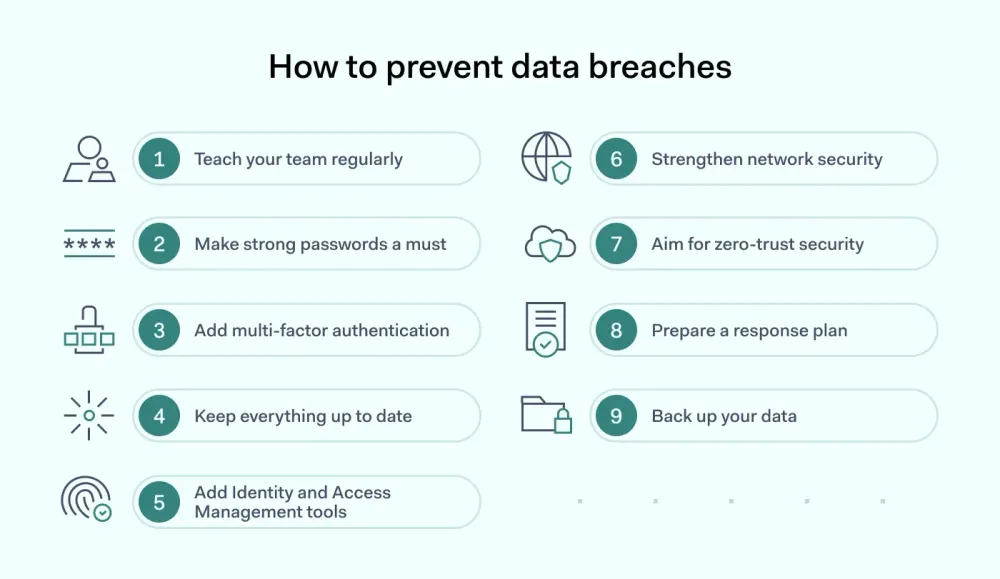
The first step is simple but powerful — change your password instantly. Not tomorrow. Not later. Immediately. Use a completely new password that is long, unique, and never reused across platforms. Reused passwords are the #1 reason small breaches become massive identity theft disasters.
Next, enable two-factor authentication (2FA). This extra layer forces attackers to provide a second verification code even if they have your password. It dramatically reduces unauthorized access risks and protects banking, email, and social media accounts.
Then review account activity. Look for unfamiliar logins, unknown devices, or suspicious transactions. If you notice anything unusual, report it instantly.
Why Data Breaches Keep Happening
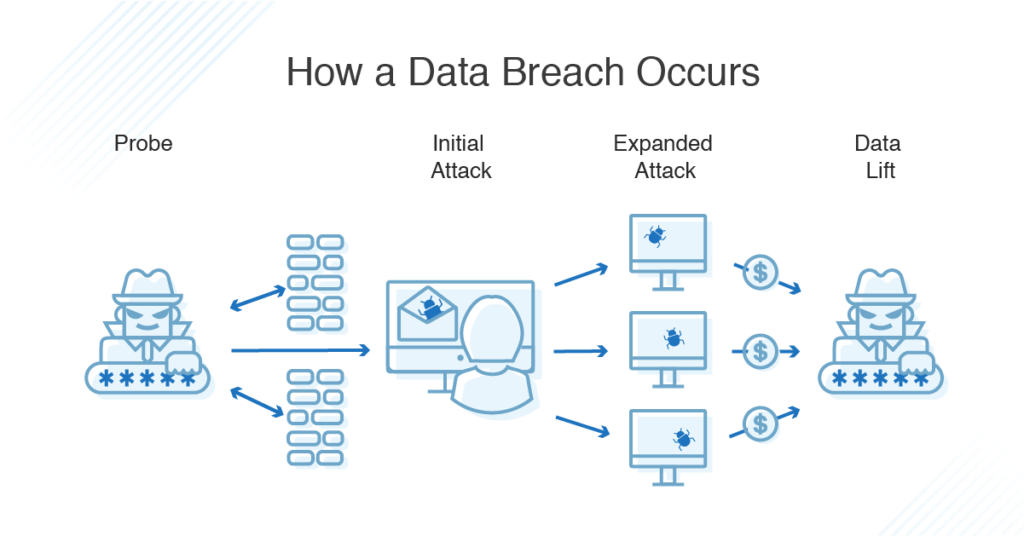
In the United States, millions of credentials are leaked annually due to phishing attacks, weak passwords, and unsecured databases. Many users think, “It won’t happen to me.” But automation tools test stolen credentials across multiple websites in seconds.
The cycle often looks like this: breach → password reset → temporary safety → another breach. The problem isn’t just weak passwords — it’s system-wide dependency on outdated login structures.
Best Protection Methods Comparison
| Security Method | Protection Level | Ease of Use | Recommended? |
|---|---|---|---|
| Simple Password Change | Medium | Easy | Yes (Immediate Step) |
| Two-Factor Authentication (2FA) | High | Easy | Strongly Recommended |
| Password Manager | Very High | Moderate | Highly Recommended |
| Biometric Login | High | Very Easy | Recommended |
Pro-Level Security Strategy for US Users
Use a reputable password manager to generate and store complex passwords. Never store passwords in notes apps or browsers without encryption. Turn on account alerts for suspicious login attempts. Freeze your credit if financial data is involved. Consider identity theft monitoring services for long-term protection.
Remember: cybersecurity is not a one-time fix — it is an ongoing discipline.
Why This Matters More Than Ever in 2026
With AI-driven phishing scams and automated bot attacks rising across the US, attackers now personalize emails and messages to appear legitimate. Even smart users fall victim when urgency and fear are used as psychological triggers. The smartest move is proactive defense, not reactive panic.
Final Security Reality Check
If your login data was exposed, you are not alone. But doing nothing is dangerous. Secure your accounts today, enable layered protection, and stay ahead of digital threats. Your online identity is an asset — protect it like one.
FAQ
What should I do first after a data breach?
Immediately change your password and enable two-factor authentication.
Is 2FA really necessary?
Yes. It significantly reduces the chances of unauthorized access even if your password is stolen.
Can hackers bypass 2FA?
It’s difficult but possible with advanced phishing. That’s why combining 2FA with strong passwords and alerts is essential.
Should I use the same password if it’s strong?
No. Every account must have a unique password to prevent chain breaches.